How to order, from sign-in to delivery
Seven steps, about five minutes the first time. You sign in once with Google, fill a cart, pick how you pay and where it ships, and track everything under My Orders.
Sign in with Google
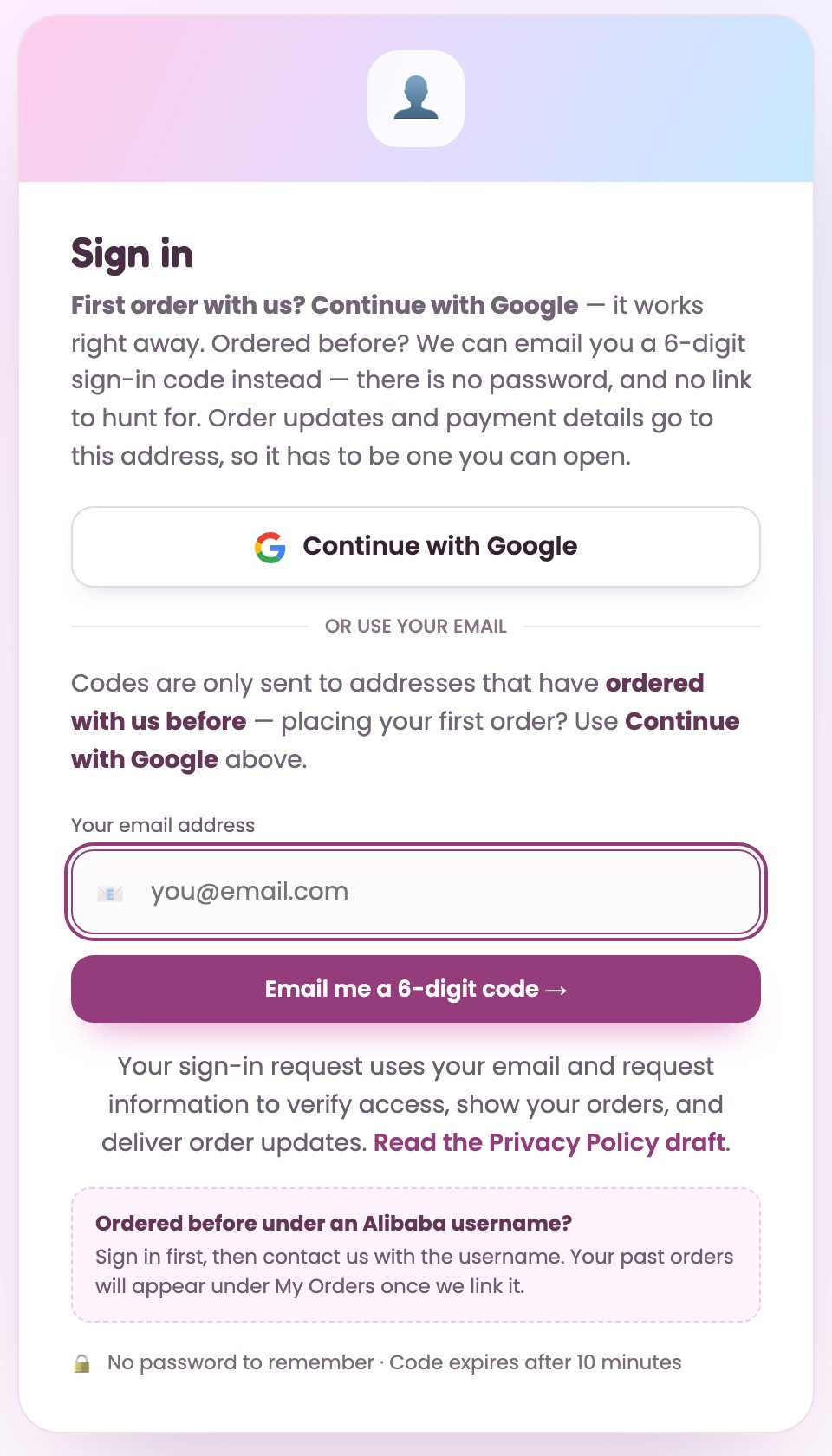
Tap Sign in at the top right, then Continue with Google. That creates your account on the spot. There is no password to make.
Order updates and payment details go to this email address, so use one you actually read.
Agree to the terms (first time only)
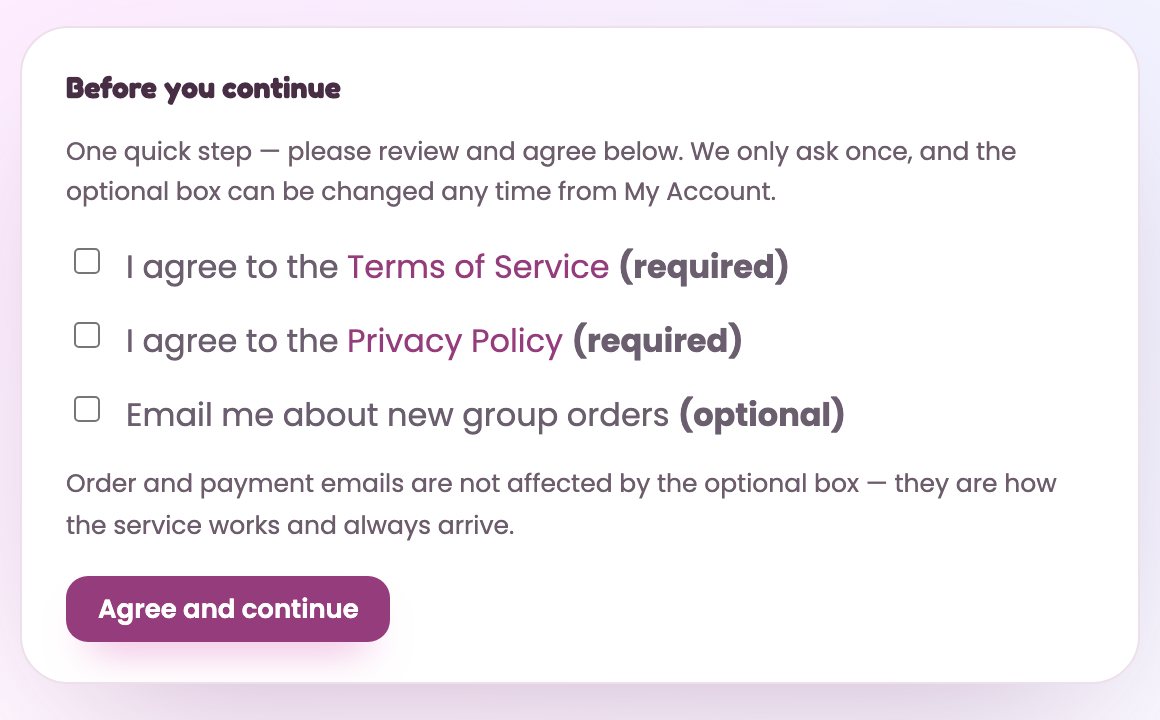
Tick the two required boxes, Terms of Service and Privacy Policy, then Agree and continue.
The third box is optional news about new group orders. You can change it later from your account page. Order and payment emails always arrive either way.
Find a group order
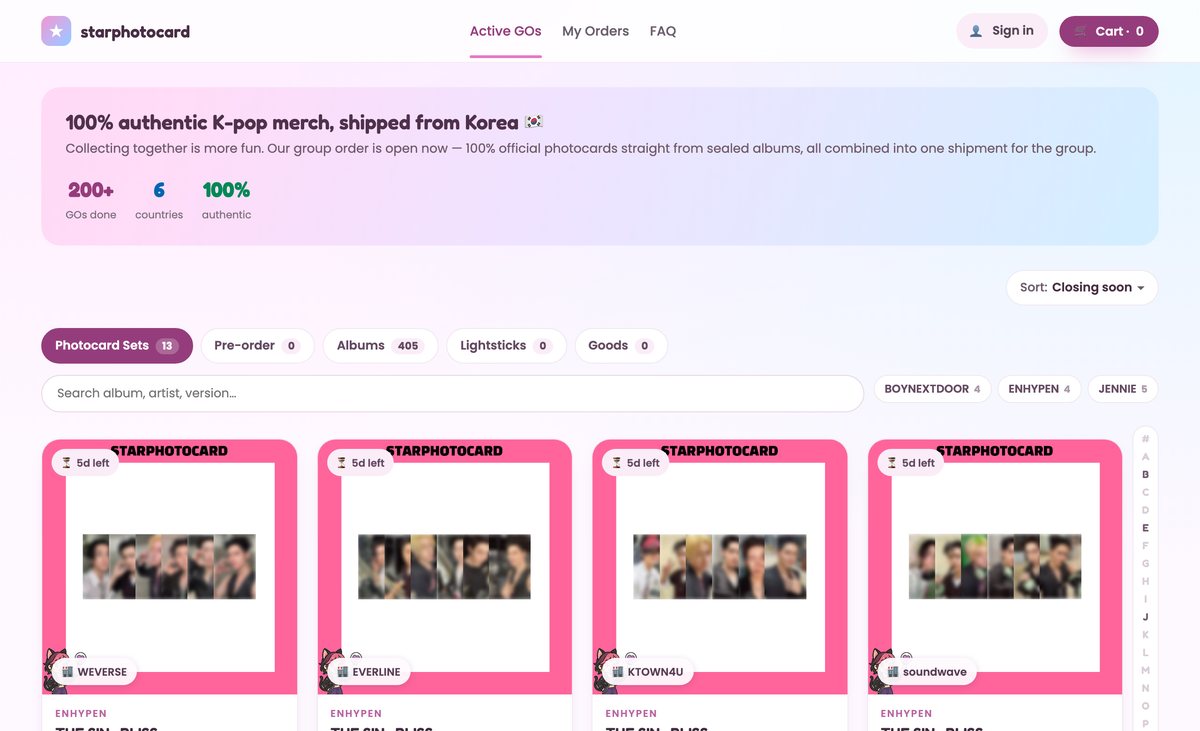
Active GOs lists everything you can order right now, in five tabs:
- Photocard Sets — member sets bought together after the GO closes.
- Pre-order — upcoming albums, with any store benefit shown on the card.
- Albums — already in our Korean warehouse, marked 📦 In stock.
- Lightsticks and Goods.
Search by album, artist or version, or tap a group name to filter.
Add to cart
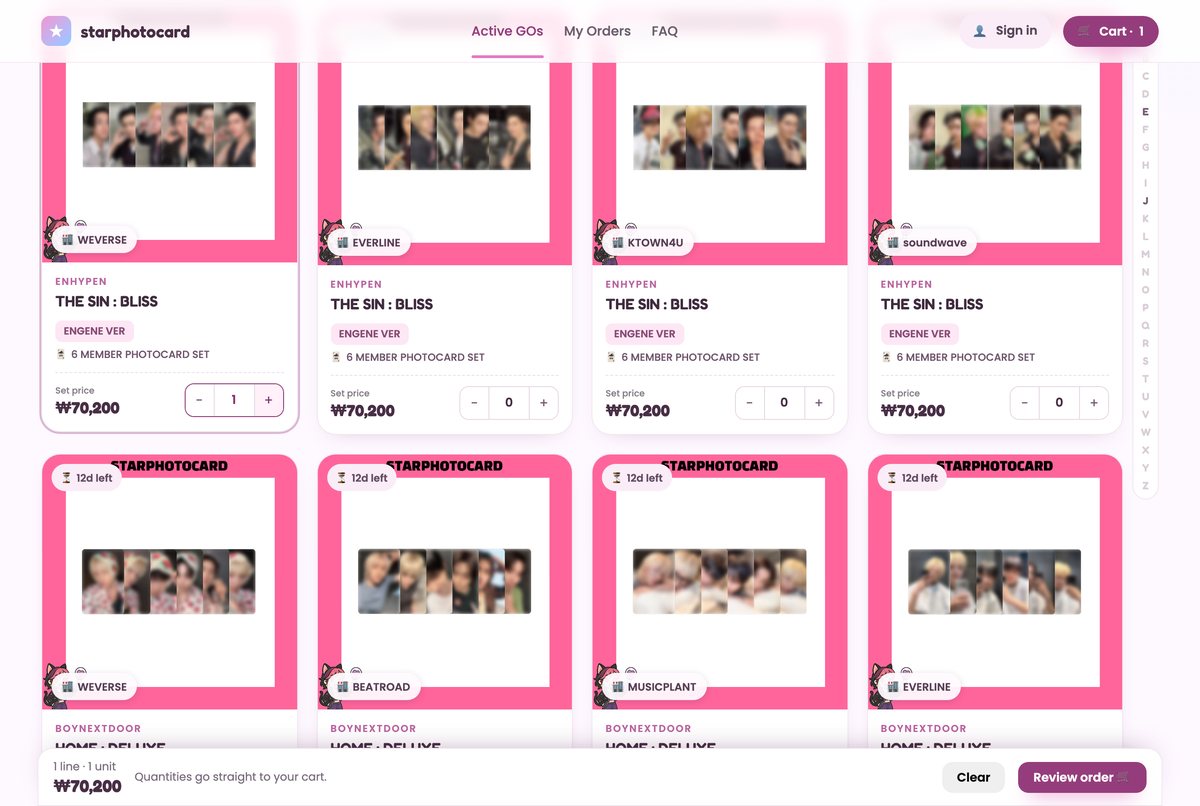
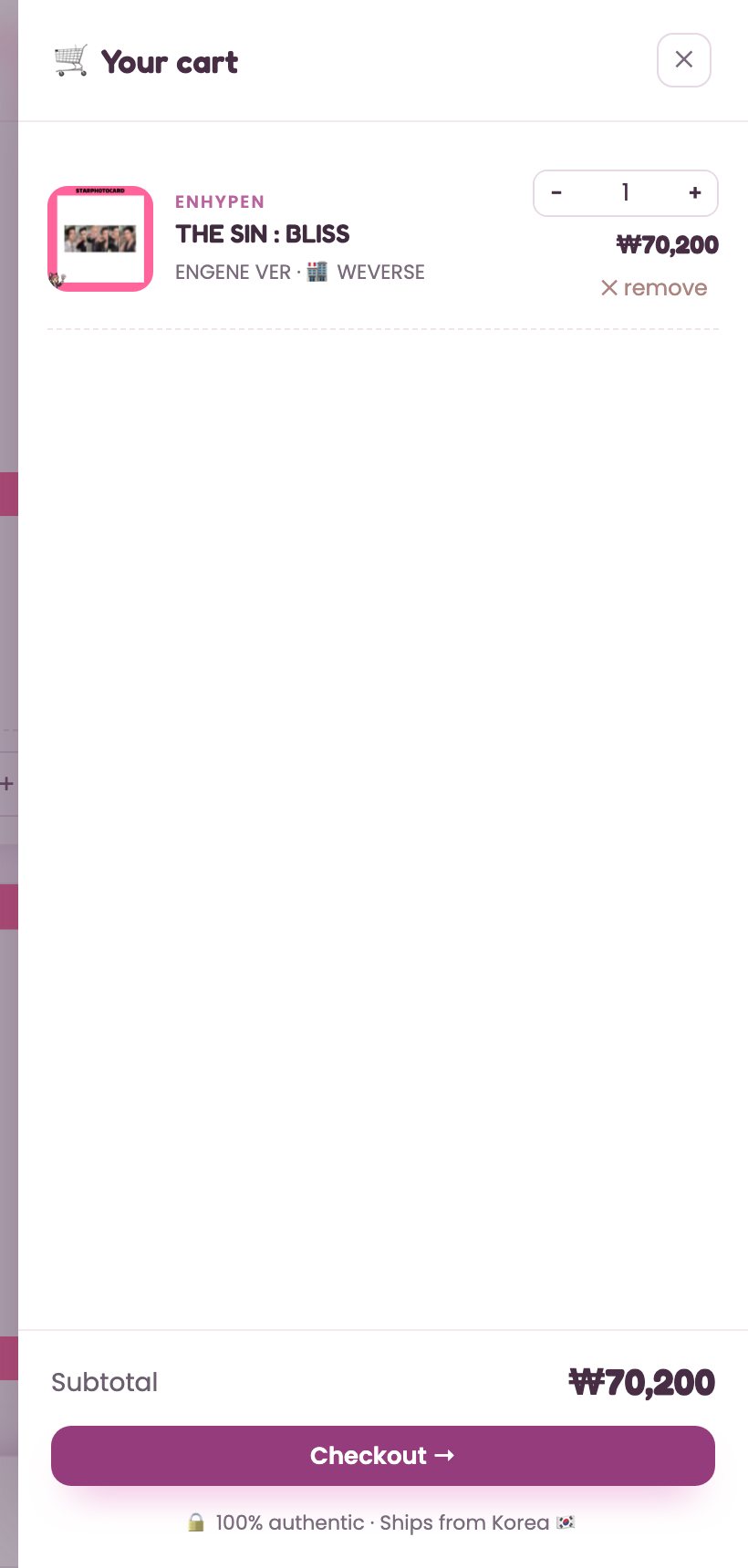
Press + on a card to set the quantity. It goes straight into your cart, and the bar at the bottom shows your running total.
Open Cart (top right) or Review order to check the items, then press Checkout.
Your cart is saved in this browser, so you can keep browsing and come back.
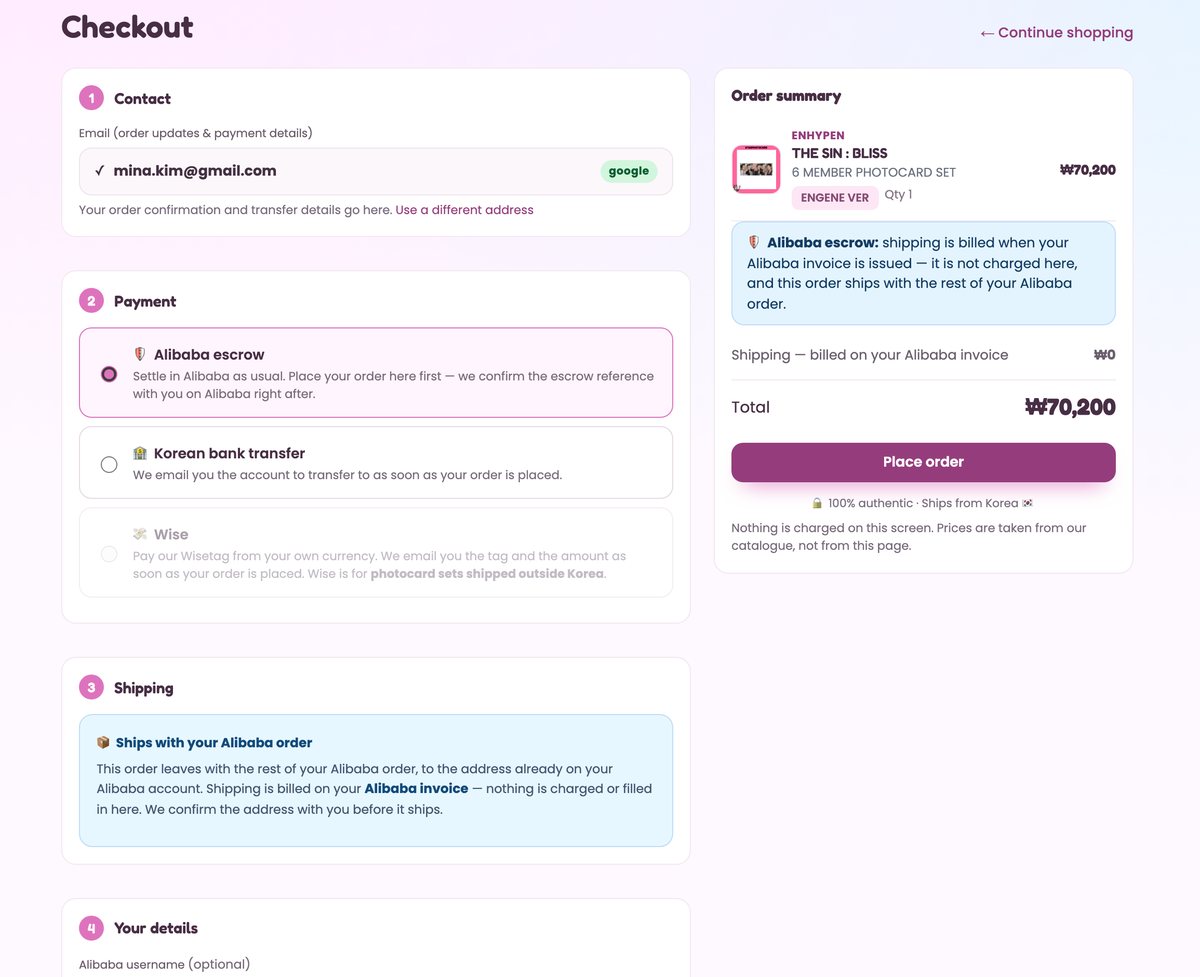
Checkout
Your email is filled in from sign-in. Then pick how you pay:
| Payment | What happens |
|---|---|
| 🛡️ Alibaba escrow | You settle on Alibaba as usual. Shipping is billed on your Alibaba invoice, so it shows ₩0 here. Your Alibaba username is optional. |
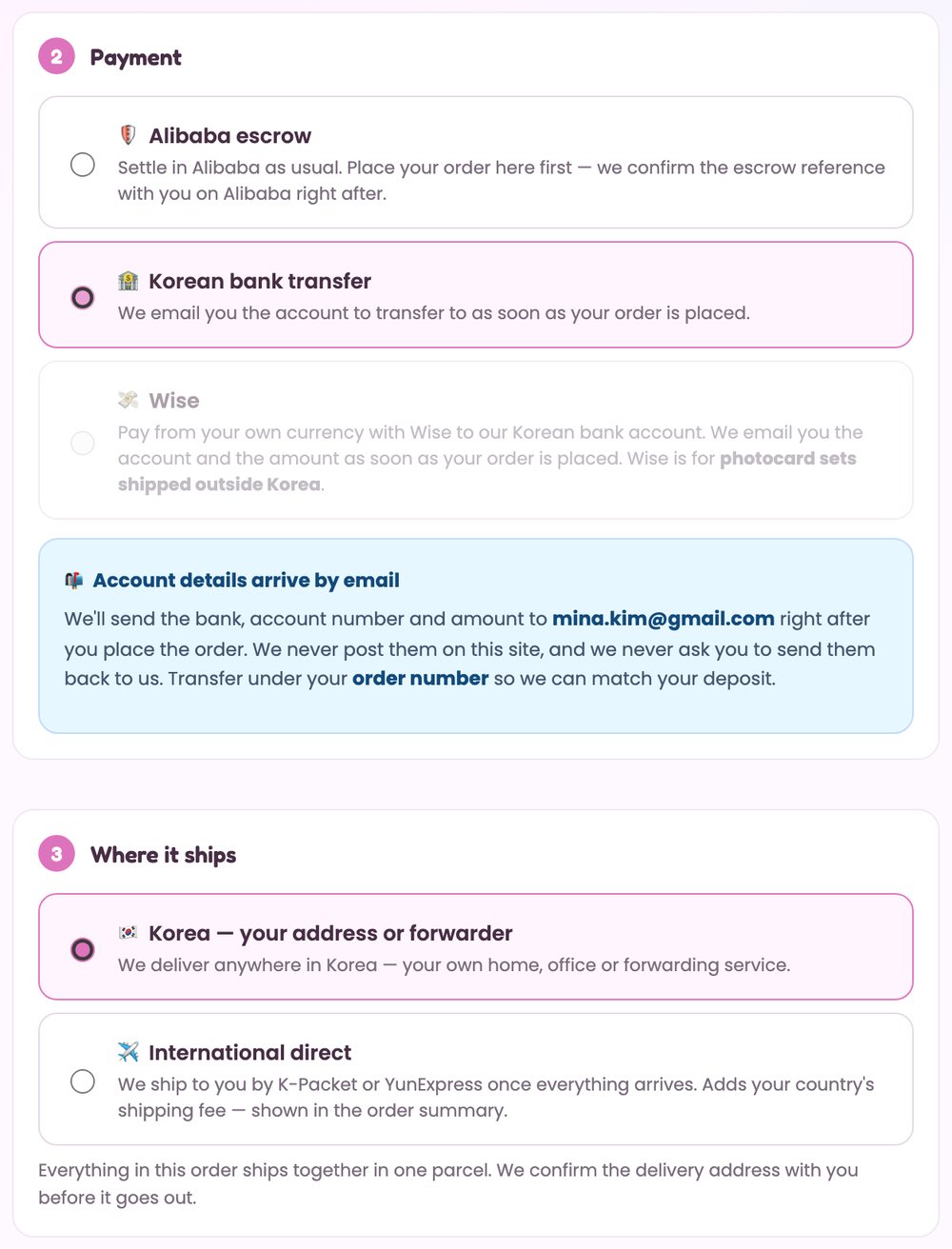
| 🏦 Korean bank transfer | Pay in KRW to our Korean account. The account details are emailed to you after you place the order. |
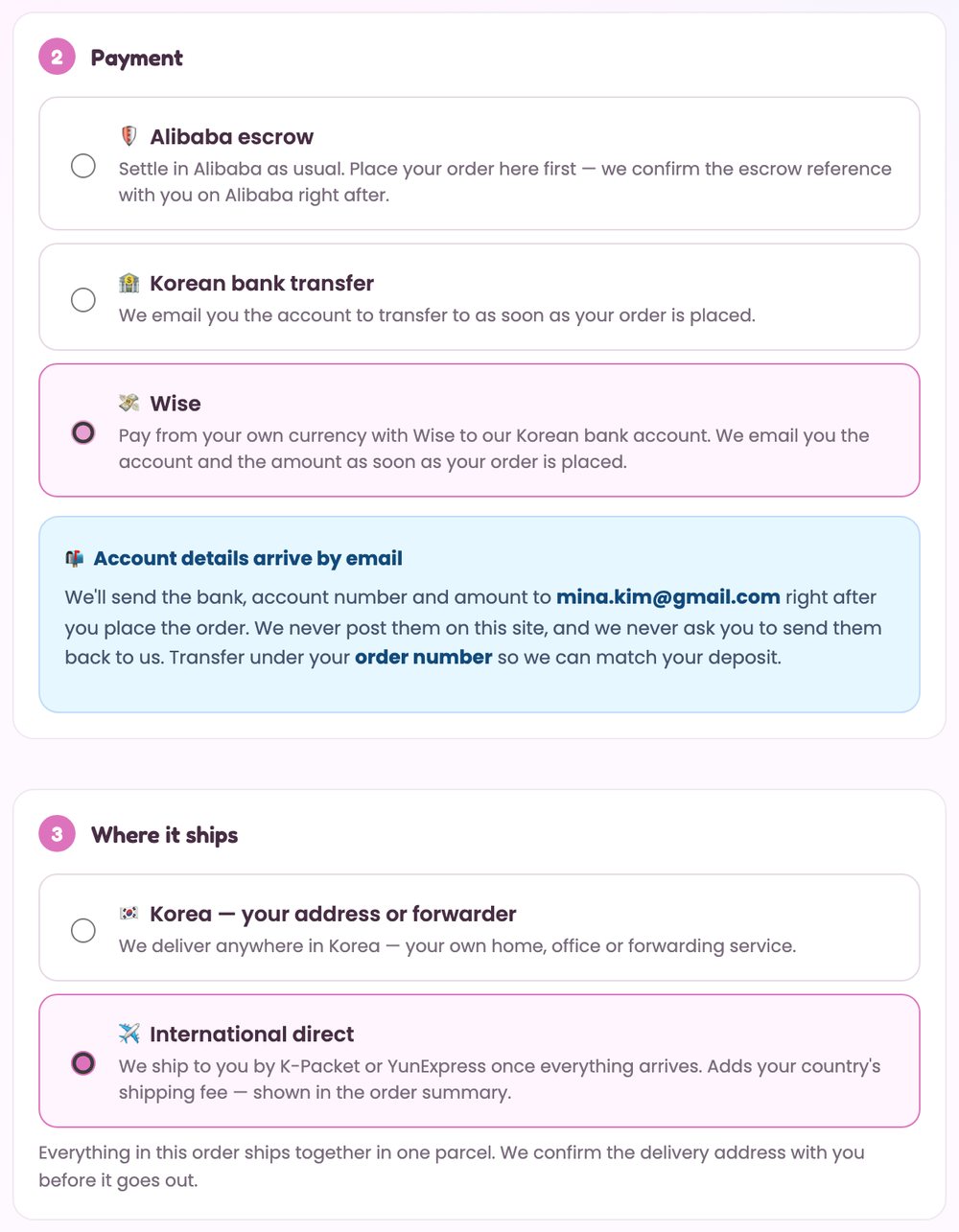
| 💸 Wise | Pay from your own currency with Wise to our Korean bank account. For photocard sets, shipped anywhere — including a Korean forwarder. The account and amount are emailed to you after you place the order. |
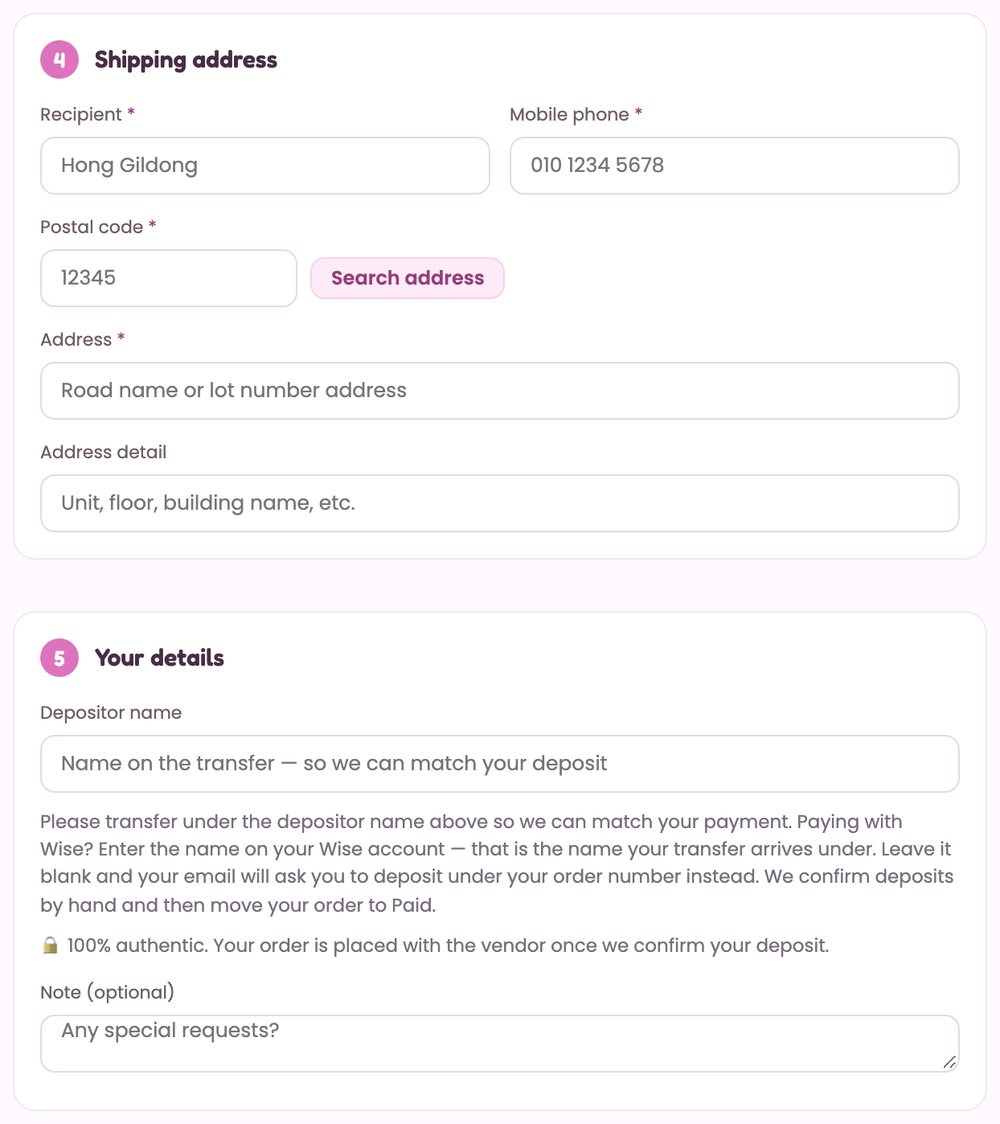
For bank transfer and Wise, choose where it ships: Korea (your address or your forwarder) or international direct by K-Packet or YunExpress. The shipping fee for your country is shown in the order summary before you submit.
- Albums going abroad are paid through Alibaba escrow.
- Wise is greyed out for Korean addresses, albums and pre-orders.
- A cart with several artists becomes one order per artist, each with its own shipping fee. Checkout shows this before you submit.
Order received: now pay
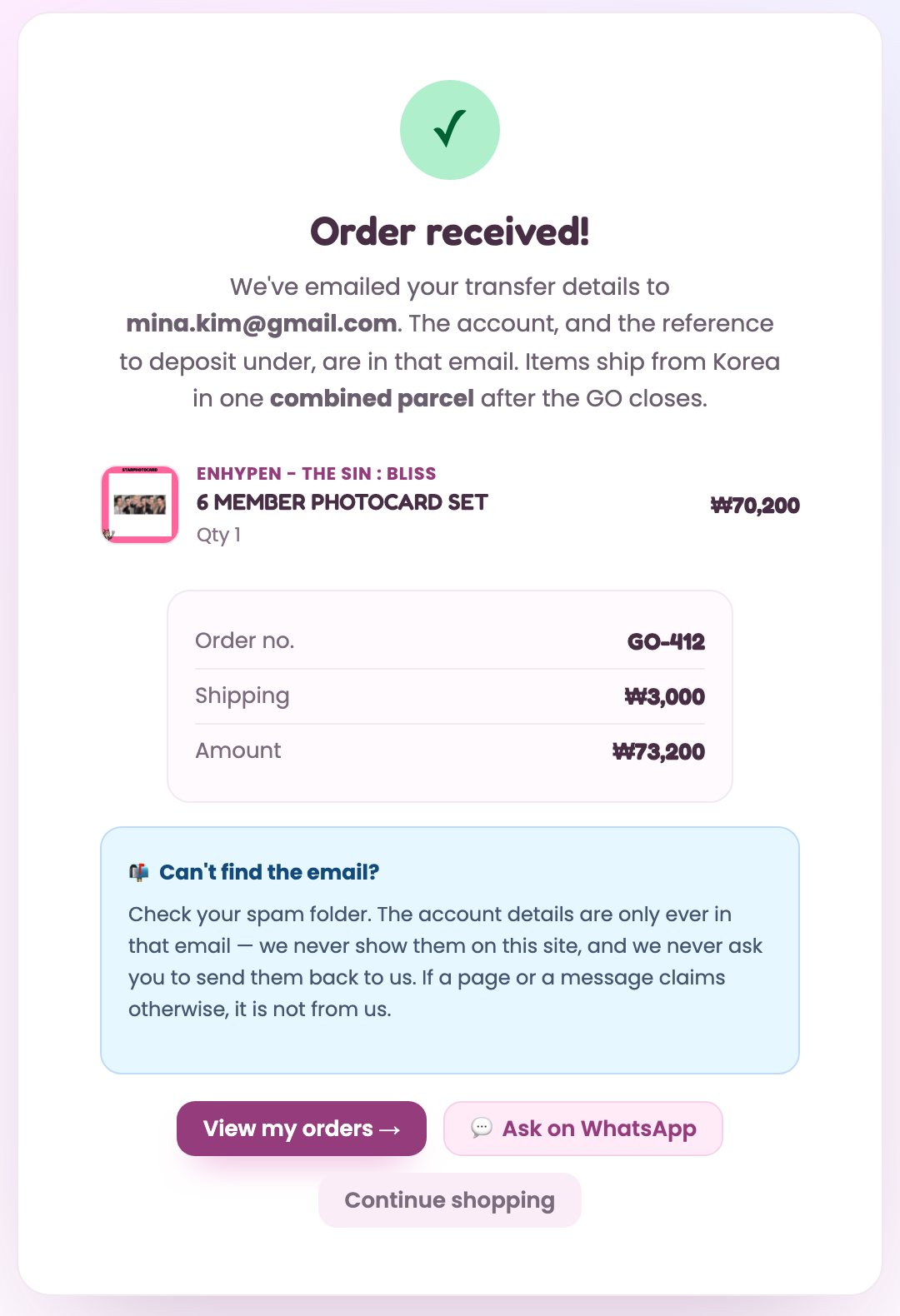
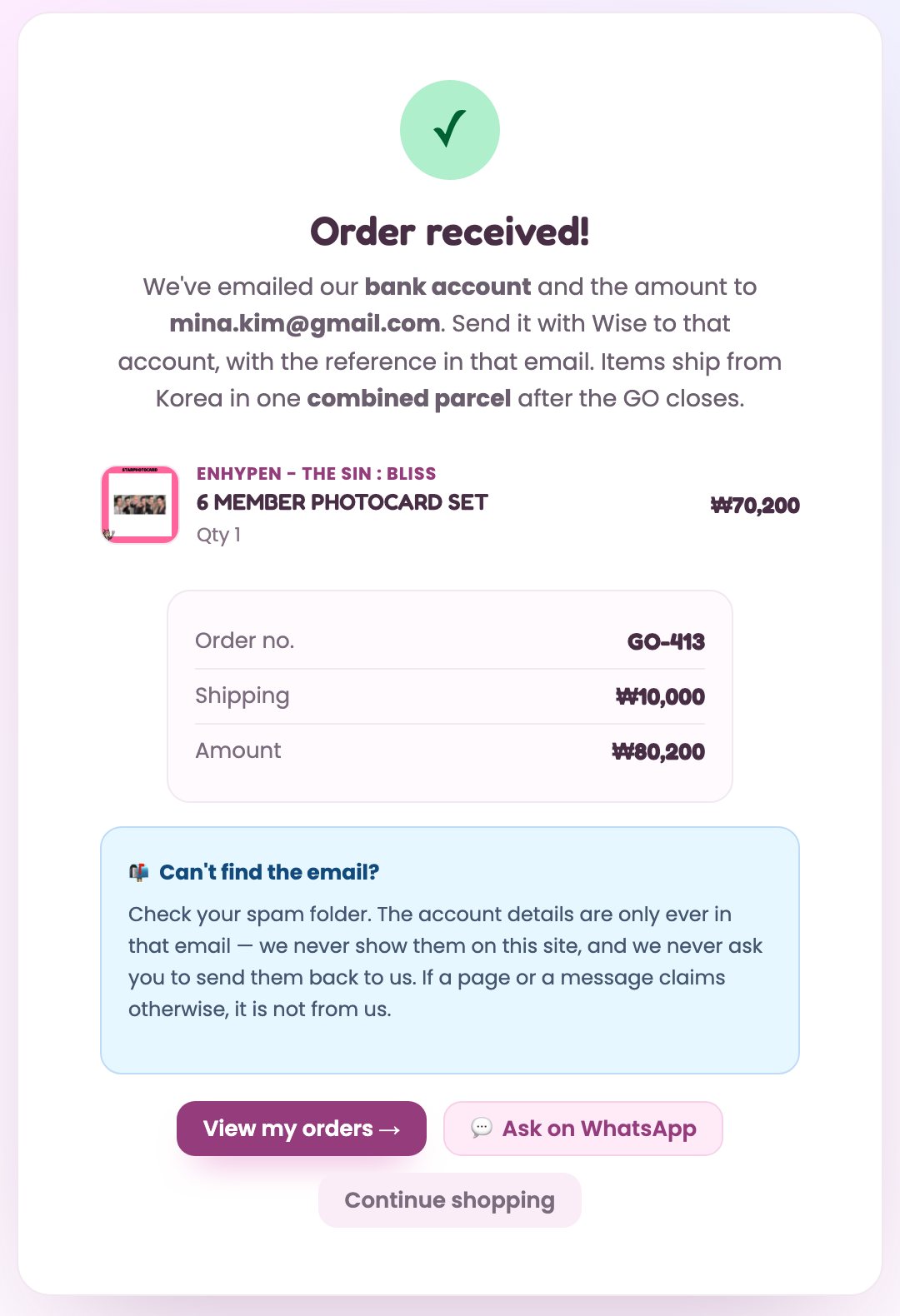
You land on Order received! with your order number and the total including shipping.
- Open the email we just sent. For bank transfer it holds the bank, account number and amount. For Wise it holds the same Korean account, the amount and a reference. In Wise, set the amount the recipient gets to exactly that amount.
- Send the exact amount under the depositor name you entered, or under your order number.
- We confirm deposits by hand and email you when your order moves to Paid.
Alibaba escrow buyers: we confirm the escrow with you on Alibaba.
Track it in My Orders
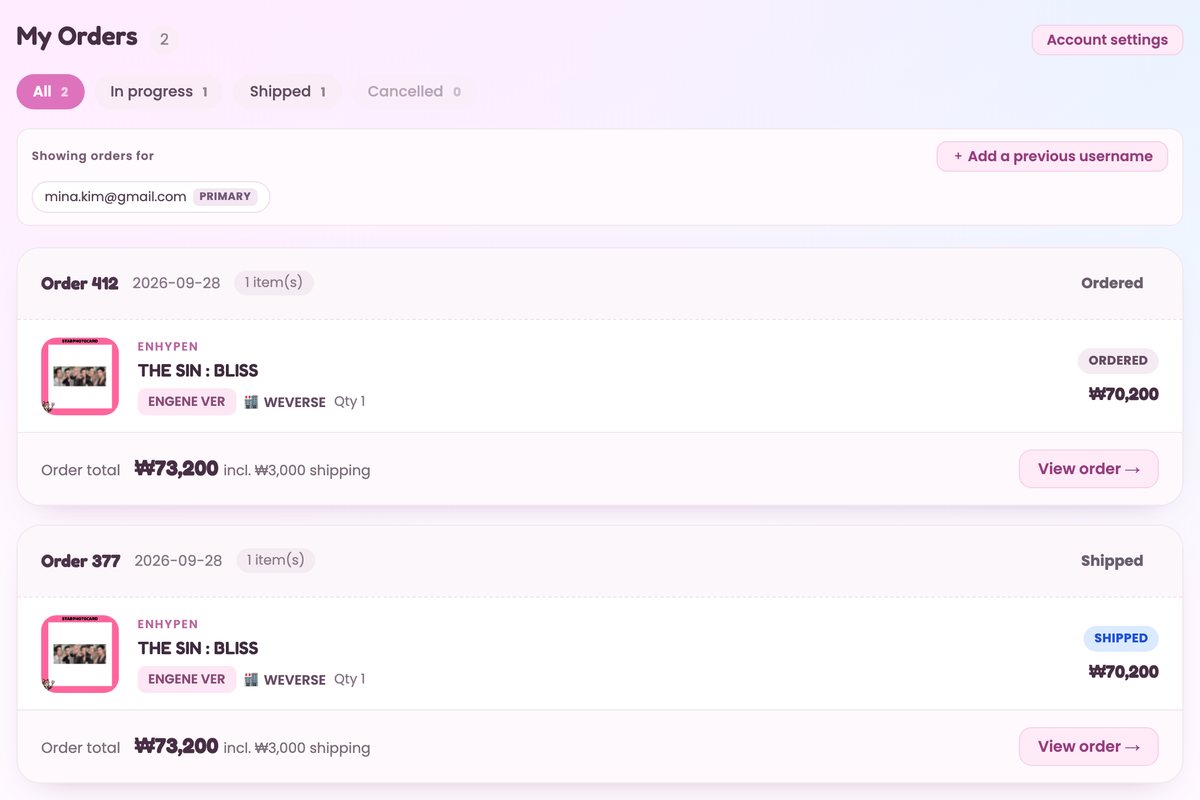
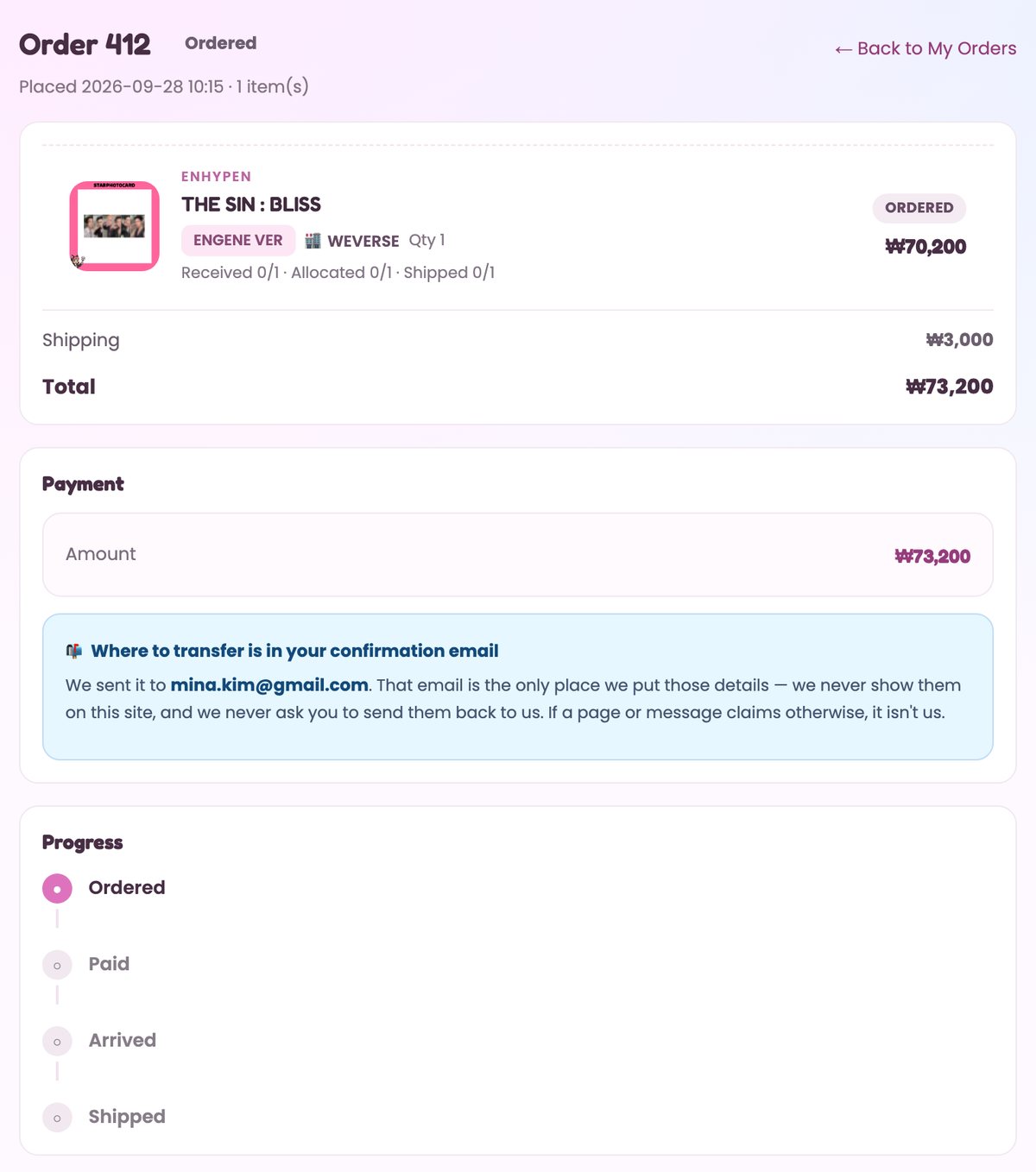
My Orders lists every order on your account. View order shows each step:
| Status | Meaning |
|---|---|
| Ordered | We have your order. Payment still to come. |
| Paid | Your payment is confirmed. |
| Arrived | The goods reached us in Korea. |
| Shipped | On its way. The tracking number appears here. |
Photocard sets and pre-orders are bought after the GO closes, so allow time between Paid and Arrived.
Quick answers
I typed my email but no code arrived.
Codes only go to addresses that already have an order with us. For your first order, use Continue with Google.
I ordered before under an Alibaba username. Where are those orders?
Sign in first, then contact us with the username. Your past orders appear under My Orders once we link it.
Which payment method should I pick?
Already buying from us on Alibaba? Use Alibaba escrow. Have a Korean bank account? Use Korean bank transfer. Buying photocard sets from abroad? Wise lets you pay from your own currency, even when they ship to a Korean forwarder.
Can I cancel or change my order?
No. Orders are final once placed, so check the cart, address and payment method before pressing Place order.
Why did my cart turn into two orders?
Each artist is bought and shipped as its own order, so a cart with several artists becomes one order per artist, each with its own shipping fee.
More in the FAQ.